
Flag Quiz Picker Wheel
Spin to play the world flag quiz
INPUTS
Quick Tool Links: Picker Wheel, Team Picker Wheel, Yes No Picker Wheel, Number Picker Wheel, Letter Picker Wheel, Country Picker Wheel, State Picker Wheel, Color Picker Wheel, Image Picker Wheel, Date Picker Wheel, Instagram Comment Picker Wheel, MLB Picker Wheel, NBA Picker Wheel, NFL Picker Wheel
Flag Quiz Picker Wheel – Country Flag Quiz Guessing Game
- What is Flag Quiz Picker Wheel?
- How to Use The Country Flag Quiz?
- Customize the Spin and the Feel of the Game?
- Choose Which Countries Appear
- Flag Quiz Modes That Keep It Interesting
- Type of Action Modes
- Enable Title Section
- View All Results
- Get a Score Certificate and Share Your Score
- Full Screen View
- We Want to Hear Your Feedback
1. What is Flag Quiz Picker Wheel?
Flag Quiz Picker Wheel is a country flag quiz web tool that uses a spinning wheel to randomly generate each quiz question. You can decide which countries are included in the wheel—add all countries or narrow it down to specific continents or selected nations—then choose how many answer options you want (2, 4, or 8). Next, pick your quiz mode (flag only, name only, or mixed), spin the wheel, and answer by selecting the correct option from the list.
It’s designed to be fast, simple, and highly replayable, making it great for quick flags quiz sessions, classroom activities, or a fun flag guessing game with friends.
Alongside the quiz wheel, we also have a random country generator that simply picks a country for you. It’s perfect when you want a surprise destination for learning or vacation.
2. How to Use The Country Flag Quiz?
1. The wheel will randomly show either a country name, a flag or mixed flag and name for the quiz. Your task is to guess the corresponding flag or country name.
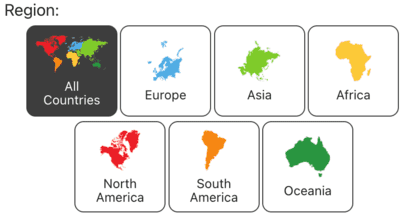
2. Choose the regions/continents in which you wish the country to be located. The default is set to All Countries. You can select numerous regions.
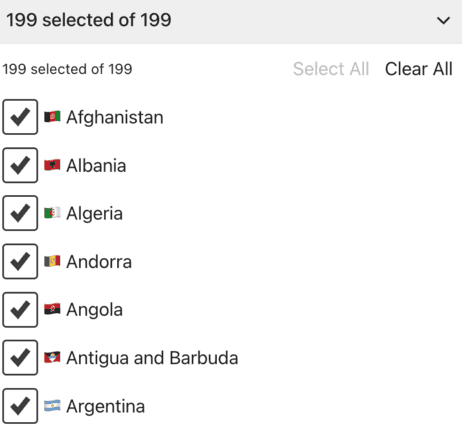
3. Finalize the list of potential country choices. You can exclude or include specific countries from your list for your country wheel.
4. Choose either Flag, Name, or Mixed, and the wheel will announce it, prompting you to guess the corresponding flag or name.

5. Choose the number of answer choices. This determines how many options will appear in the pop-up answer list.

6. Click the spin button or press "Ctrl + Enter" keys to start spinning the random country wheel.

7. A random country is chosen and displayed in a pop-up window. Select the flag or name from the answer list and click the "CHECK ANSWER" button to see if your guess is correct.
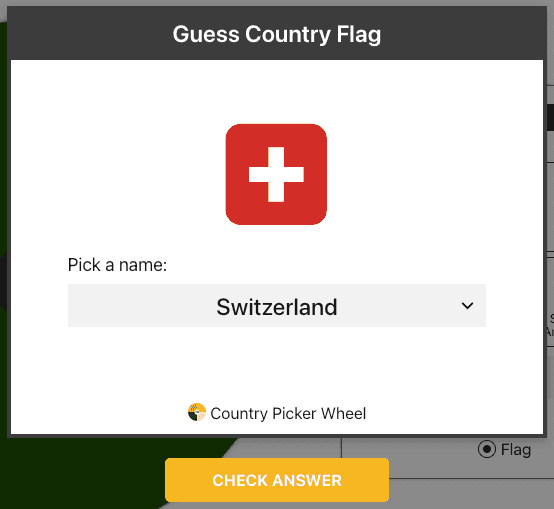
8. After checking the answer, the "REMOVE QUESTION" and "DONE" buttons will appear. Decide on an action mode. (Modes are explained in Section Type of Action Modes.)
9. The result is also stored in "All Results" section.
10. Continue spinning.
11. Use the Shuffle button to shuffle the inputs. Sorting the inputs from A to Z is available in the More menu.

12. Hide the Inputs section if you want.

13. Enable the Mystery Wheel from the More button to replace all inputs on the wheel with “?”.

If you prefer to freely explore countries instead of taking a quiz, simply click the "Country PW" icon button as shown below. This will bring you to Country Generator Mode, where you can randomly generate a country name, a flag, or both.

3. Customize the Spin and the Feel of the Game?
Flag Quiz Picker Wheel lets you adjust the spinning duration to match your pace. Prefer a calmer rhythm? Set a longer spin time to create a more relaxed break between questions. Want more pressure and speed? Shorten the spin duration for a more intense, fast-moving flag quiz experience.
Beyond timing, you can personalize the wheel to fit your style with extra customizations or configurations.
The configuration options include the following:
- Spin Behavior
- Spinning speed (lvl1 to lv10).
- Spinning duration (1s to 30s).
- Enable manual stop button.
- Spin count
- Random initial angle.
- Initial Spinning
- Confetti & Sound
- Disable/Enable confetti.
- Sound on/off.
- Customize starting, spinning, and ending sounds.
- Tool Colors - Change the wheel colors with several themes provided.
- Background Color - Change the background color of the whole section.
- Background Image - Add a background image at the wheel section. (Premium Users)
- Spin Button - Customize your own spin button. (Premium Users)
- Banner | Logo - Adding your own logo or banner. (Premium Users)
*Customize wheel with your own wheel sounds, colors and background color. (Premium Users)
4. Choose Which Countries Appear
Not everyone wants every country included all the time. With Flag Quiz Picker Wheel, you can simply untick countries you don’t want included. This helps you shape the quiz pool without extra setup:
- focus on a specific region
- keep the list smaller while you’re learning
- remove countries you already know well
That flexibility makes the flag quiz more comfortable for beginners and still useful for experienced players who want a tighter challenge.
5. Flag Quiz Modes That Keep It Interesting
A big reason people love a guess the flag challenge is the instant feedback—you either recognize it right away or you learn something new in seconds. Flag Quiz Picker Wheel keeps that momentum going with three quiz modes, so you can practice the way you prefer:
- Guess country flag: you’re shown a country flag and choose the correct country name.
- Guess country name: you’re shown a country name and choose the correct flag.
- Mixed: each question shows either a flag or a name, and you answer accordingly.
These modes help you strengthen both visual recognition and name recall, making the experience feel like a fun flag guessing game rather than a typical study routine—perfect for anyone who wants a world flags quiz they’ll want to play again.
6. Type of Action Modes
6.1. Normal Mode [DONE]
In Normal Mode, your country flag quiz keeps the same pool of country choices after each spin. That means the wheel can land on any of the previously selected nations again, making it ideal for repeat practice in a flags quiz or guess the flag session.
6.2. Elimination Mode [REMOVE QUESTION]
Elimination Mode turns the wheel into a progressive flag guessing game. Each time you spin, the selected country is removed from the remaining pool, so it won’t appear again in the next round. This is great for a world flags quiz challenge where you want to work through the list without repeats. The "All Results" section will show which countries were eliminated along the way.
7. Enable Title Section
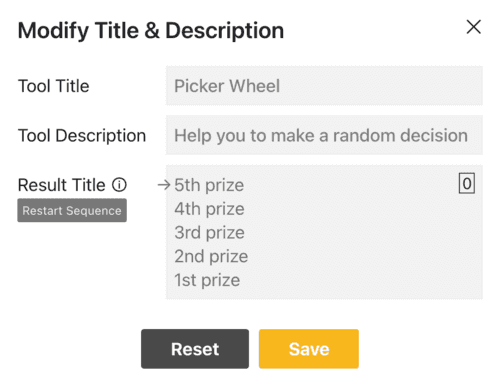
Your visitors will understand the purpose of your flag quiz spinner if you have the title e.g. "Guess the Country Flag".
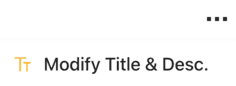
Clicking the "Modify Title & Desc." option from the More Button will open or close the title section.
And write down the messages.
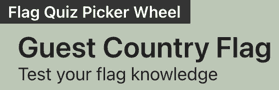
The tool title and description will appear in the upper left corner.
8. View All Results
To view all of the flag quiz you've previously generated, click the "Show All Results" button.

It will show all of the quizzes generated by the wheel since the first spin of your current visit. The records show a ✓ or ✗ for each guess, and the correct answer is displayed if your guess is wrong, with your score (%) shown in the top left corner.
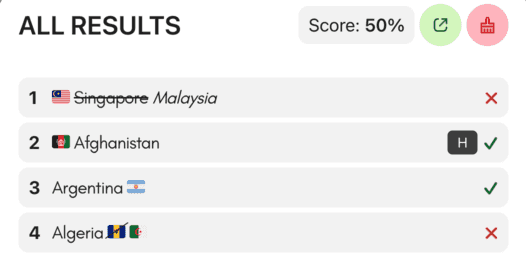
You can click the "Results Link" button to open the results page where you can share it with other people. You'll be prompted to fill in a name before accessing the score page.

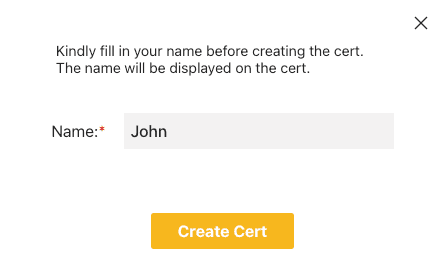
You can clear all the records by clicking the "Clear Results" button.

9. Get a Score Certificate and Share Your Score
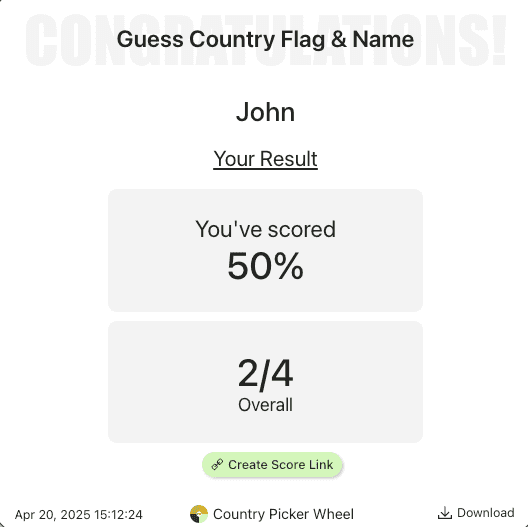
After you finish a session, you can generate a score certificate for the quiz you answered. It’s great for saving a personal test, tracking progress, or using it as a quick record for learning.
If you’re playing with others, encourage everyone to share their score—compare results, challenge friends to beat your score, or post your certificate as a fun “I’m improving” milestone. Sharing turns a solo flag game into a social flag quiz game and keeps motivation high.
After you open results page, you can create a score link to share with other people. The link will show your score, including your total correct guesses, total questions attempted, and your name. You can also download the score image at the result page.
10. Full Screen View
You may switch between full-screen and normal view modes by clicking the full-screen button. (Available on a desktop computer and tablet)

The country flag quiz generator gets bigger when full-screen mode is activated, and the "Inputs" section gets hidden.
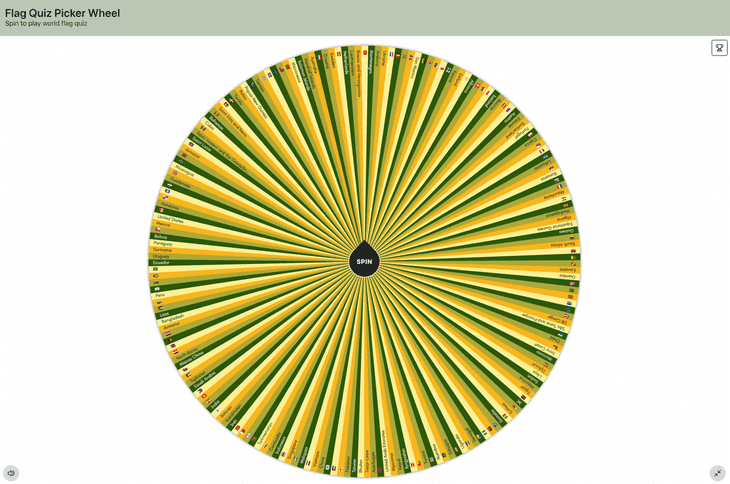
The "Show All Results" button still allows you to view your results.
11. We Want to Hear Your Feedback
Please let us know if you have any suggestions or find any bugs with our country flag quiz generator. Please don't hesitate to inform us. We value your comments so we can make the flag guessing game better.


Flip a coin to make a decision?
Try FlipSimu Coin Flipper->